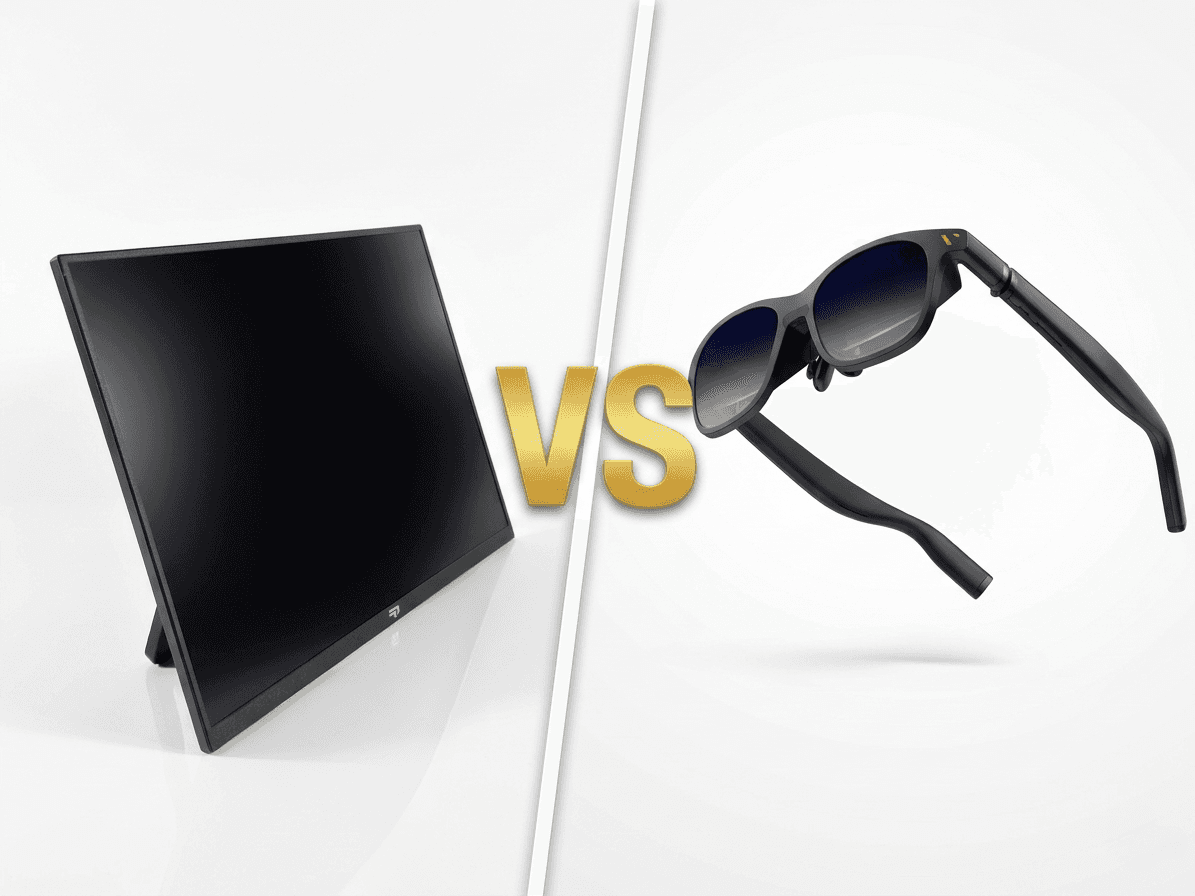
When you want a bigger screen for your handheld gaming PC, you have two main options: a portable monitor or XR glasses. Both promise to enhance your gaming experience, but they work in fundamentally different ways and suit different use cases. This comprehensive comparison will help you decide which option is right for your ROG Ally, Steam Deck, or Legion Go setup.
What Are XR Glasses?
XR (Extended Reality) glasses are wearable displays that project a virtual screen in front of your eyes, creating the illusion of a large display floating in space. Popular models include the XREAL Air, Rokid Max, and Viture One. These glasses connect to your handheld via USB-C and display video content directly to your eyes through micro-OLED displays. They're lightweight, portable, and promise a cinema-like viewing experience.
How XR Glasses Work
XR glasses use tiny high-resolution displays positioned very close to your eyes, combined with lenses that focus the image to create a virtual screen. Most models claim to simulate a 120-200 inch display at a few meters distance. They draw power and video signal from your handheld device through a single USB-C cable, making them incredibly portable. However, they require you to wear them like sunglasses, which can be uncomfortable for extended periods.
Typical Specifications
Most XR glasses offer 1080p per eye (effectively 1080p total), 60Hz or 120Hz refresh rate, and weigh between 70-100g. They usually include built-in speakers or audio ports, support 3DOF head tracking (on some models), and work with devices that support USB-C DisplayPort Alt Mode. Prices typically range from £300-500 for consumer models.
What Are Portable Monitors?
Portable monitors are slim, lightweight external displays designed for travel and mobile use. They connect to your handheld via USB-C or HDMI and provide a traditional flat-screen experience. Quality portable gaming monitors offer high refresh rates (120Hz-144Hz), low response times (3-5ms), and come in sizes ranging from 13.3 to 17.3 inches. They're essentially laptop screens in a standalone form factor.
How Portable Monitors Work
Portable monitors work like any traditional display — you prop them up using a built-in kickstand or cover, connect them to your device, and you have a second screen. Most modern portable gaming monitors support USB-C DisplayPort Alt Mode, meaning a single cable handles video, audio, and power (when powered by the source device). They provide a traditional viewing experience with no learning curve or adaptation required.
Typical Specifications
Gaming-focused portable monitors typically offer 13.3-17.3 inch screens, 1080p-1440p resolution, 120Hz-144Hz refresh rate, IPS or OLED panels, 3-5ms response time, and USB-C + HDMI connectivity. They weigh 500-900g depending on size and build quality. Prices range from £150-400 for quality models designed for gaming.
Head-to-Head Comparison
Let's compare portable monitors and XR glasses across the key factors that matter for handheld gaming.
Image Quality
Portable monitors generally provide superior image quality. You get a bright, sharp, real image with excellent color accuracy and contrast. XR glasses can suffer from edge distortion, chromatic aberration, reduced brightness (especially in bright environments), and a narrower effective field of view than claimed. Portable monitors offer consistent image quality regardless of lighting conditions, while XR glasses work best in darker environments.
Comfort
This is highly subjective and depends on your use case. Portable monitors require a flat surface but allow you to maintain natural posture and move your head freely. XR glasses are worn on your face, which can cause discomfort during long gaming sessions — pressure on the nose and ears, eye strain, and neck fatigue are common complaints. However, XR glasses excel in tight spaces like airplanes or car rides where setting up a monitor isn't feasible.
Portability
XR glasses win on pure portability — they're tiny, lightweight, and fit in a small case. However, portable monitors (especially 13.3-16 inch models) are still very portable, fitting easily in backpacks. The key difference is setup: XR glasses are faster to deploy (just put them on), while monitors require a flat surface and a few seconds to prop up. For serious travelers or commuters, XR glasses have an edge. For home, hotel, or desk use, the setup difference is negligible.
Refresh Rate and Gaming Performance
Modern portable gaming monitors support 144Hz refresh rates, providing buttery smooth gameplay for competitive titles. Most XR glasses are limited to 60Hz or 120Hz at best, and the perceived smoothness can vary due to the optical system. For fast-paced gaming where refresh rate matters, portable monitors have a clear advantage. For story-driven or slower-paced games, the difference is less noticeable.
Social Gaming
Portable monitors allow others to watch you play, making them great for showing off games or gaming with friends. XR glasses are entirely personal — only you can see the display. This makes XR glasses better for private gaming in public spaces but worse for social gaming scenarios. Portable monitors also work great for two-player couch co-op with your handheld.
Eye Strain and Fatigue
Portable monitors produce less eye strain for most people, as you're viewing a real object at a natural distance with normal eye accommodation. XR glasses can cause eye strain because your eyes are focused at a fixed virtual distance for extended periods. This is similar to VR headset fatigue. People with glasses or specific eye conditions may also struggle with XR glasses.
Real-World Use Cases
Different scenarios favor different solutions. Here's when each option shines.
When to Choose a Portable Monitor
Choose a portable monitor if you primarily game at home, in hotels, or at a desk. If you value image quality, high refresh rates, and the ability to share your gaming experience with others, a monitor is the better choice. Portable monitors are also ideal if you game for extended periods (2+ hours) where comfort matters. They work perfectly for permanent desk setups, LAN parties, or anywhere you have a flat surface.
When to Choose XR Glasses
XR glasses shine in ultra-portable scenarios like planes, trains, or car rides where setting up a monitor isn't possible. They're great if you need maximum portability and don't mind the trade-offs in image quality and comfort. XR glasses also work well for private gaming in shared spaces (like gaming while your partner sleeps) or for watching movies and video content where high refresh rates don't matter.
The Hybrid Approach
Some gamers own both — using a portable monitor for desk gaming and XR glasses for travel. If you game in multiple scenarios, this provides the best of both worlds. However, if you're choosing just one, consider where you'll use it 80% of the time and optimize for that scenario.
Price Comparison
Let's talk about value for money. XR glasses typically cost £300-500 for consumer models, while quality portable gaming monitors range from £150-400. For the price of most XR glasses, you can get a premium 144Hz portable monitor with better image quality, larger screen size, and more versatility. XR glasses charge a premium for their form factor and portability, but that premium is only worth it if you truly need that level of portability.
Our Recommendation
For most handheld gamers, a portable gaming monitor is the better choice. It offers superior image quality, better refresh rates, more comfortable extended use, and often costs less. The slight trade-off in portability is negligible for most use cases — even a 16-inch portable monitor fits easily in a backpack. XR glasses are a niche product that excels in specific scenarios (planes, extreme portability needs, private viewing) but compromises too much for general gaming use. If you primarily game at home, in hotels, or at friends' houses, invest in a quality portable gaming monitor. Save XR glasses for when you truly need that extreme portability, or if you're willing to accept the trade-offs for the unique experience they provide.
Conclusion
The choice between a portable monitor and XR glasses ultimately depends on your priorities. If image quality, refresh rate, comfort, and value matter most, choose a portable gaming monitor. If extreme portability and private viewing are your top priorities and you're willing to accept compromises in image quality and comfort, XR glasses might be for you. For the vast majority of ROG Ally, Steam Deck, and Legion Go gamers, a 144Hz portable monitor provides the best overall experience for transforming your handheld into a full gaming setup. You get desktop-quality visuals, smooth high refresh rate gameplay, and the ability to game anywhere you can find a flat surface — all at a lower price point than most XR glasses.